
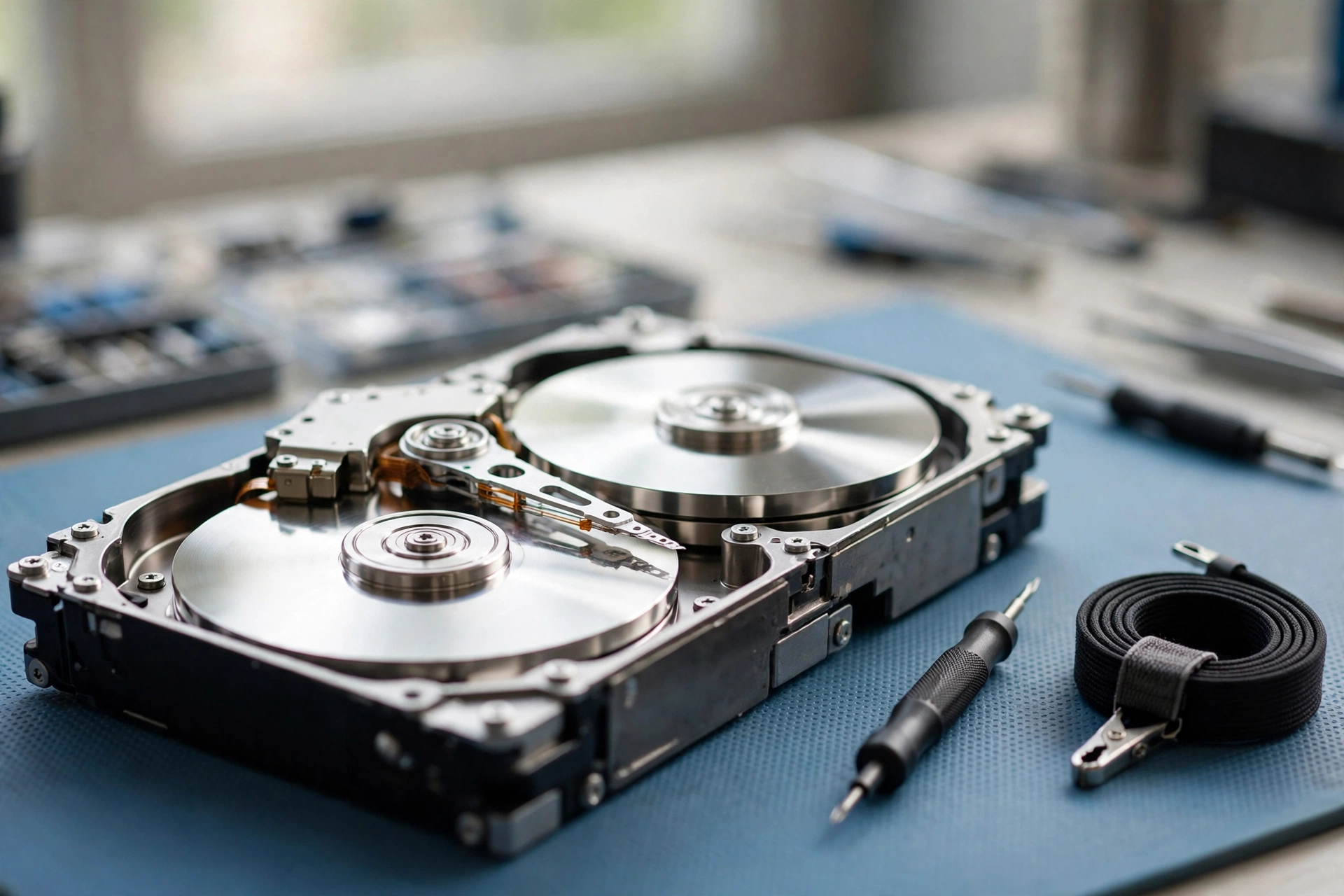

What Hard Drive Recovery Actually Means
Hard drive recovery is the work of getting files back from a drive you can no longer read normally — files you deleted by mistake, a drive that was formatted, or a drive that has stopped working. The good news is that “deleted” and “gone” are not the same thing.
When you delete a file on a traditional spinning hard drive, your computer does not erase the file itself. It removes the pointer to it — the note in the file system that says where the file lives — and marks that space as free for reuse. The files stay on the platters until something new is written over them. The gap between “deleted” and “overwritten” is the whole reason recovery software exists.
First, Work Out What Happened to Your Drive
The right next step depends entirely on what went wrong. Recovery is not one job — it is several different jobs that share a name. Match your situation below before you do anything else.
You deleted files by mistake
This is the easiest case. If the drive is healthy and you stopped using it right after the deletion, your chances are good. Do not keep using the computer, and do not save anything new to that drive — every new write risks landing on top of the files you want back.
The drive was formatted
A quick format is very recoverable in most cases, because the data is still on the platters. Stop writing to the drive at once. If it was a full format, or you kept using the drive for days afterwards, the odds drop sharply.
The drive clicks, beeps, or grinds
That sound is the read-write heads failing — the tiny arms that float over the platters can no longer find their position. Turn the drive off and leave it off. Every extra spin can scrape the platters and destroy more data. This is not a DIY job. It needs a professional lab.
The drive doesn’t show up at all
Rule out the simple causes first: a different cable, a different USB port, a different computer. With an external drive, the enclosure can fail while the drive inside is fine. If it spins but never appears, the fault may be in its circuit board or firmware. If it does not spin at all, the motor or board has usually failed.
The First Five Minutes Matter
Most files are lost for good not by the original accident, but by what happens in the minutes after it. Stop using the drive: shut the computer down if it is the main drive, or unplug it if it is external. The operating system writes constantly in the background.
Check the easy places first: the Recycle Bin on Windows or the Trash on a Mac, plus any cloud storage or backups you already have. The same habit matters on your phone — see how to back up your phone photos automatically.
DIY Hard Drive Recovery: Software That Can Help
When the drive is physically healthy, software is the right tool. Wondershare’s step-by-step guide walks through the same routine: stop writing to the disk, scan it, and save what you find to a different drive.
Recuva
Recuva is a free Windows tool, and the simplest place to start. It scans a drive for deleted files, shows you what it found, and lets you pick which ones to restore. It works best on recently deleted files from a healthy drive.
PhotoRec and TestDisk
PhotoRec and TestDisk are free, open-source tools for Windows, Mac, and Linux. PhotoRec ignores the file system and hunts for files by their contents, which helps when the file system itself is damaged — though recovered files often come back with generic names. TestDisk rebuilds lost partitions rather than recovering individual files.
Disk Drill
Disk Drill is a friendlier option with a proper graphical interface on Windows and Mac. Its free version lets you preview what is recoverable before you pay anything. Paid versions of mainstream recovery tools generally run from about $25 to $90 for a licence.
Windows File Recovery
Microsoft offers its own free tool, Windows File Recovery, a command-line app for Windows 10 and 11 — free and official, if you are comfortable typing commands.
Whichever tool you choose, the routine is the same. Install it somewhere other than the damaged drive, make a full copy — a disk image — of an unstable drive first, and run your scans on the copy. Scan, preview what it found, and save the recovered files to a healthy drive. Never install recovery software onto the drive you are trying to save.
Mistakes That Make Recovery Harder
Some of the worst damage in recovery cases is self-inflicted. These are the mistakes labs see most often.
Running CHKDSK or First Aid before saving your files
Windows’ CHKDSK and macOS’ First Aid are repair tools, not recovery tools. They rewrite the file system, and in doing so they can overwrite the data you were hoping to rescue. Recover your files first; repair the drive afterwards.
Clicking “format” or “initialize” when the computer asks
That prompt appears when the computer cannot read the drive’s file system. Accepting it writes a fresh, empty file system over the old one — the files may still be underneath, but you have just made the job harder and more expensive.
Opening the drive yourself
The gap between a hard drive’s read-write heads and its platters is smaller than a speck of dust. Opening a drive outside a cleanroom lets dust and moisture straight onto the platters, and that contamination can finish off data that was still recoverable.
The freezer trick
You will still find advice online to put a dead drive in the freezer. Do not do it: condensation forms as the drive warms back up, and moisture on the platters is exactly what you do not want. It is an old myth, and it has ruined more drives than it has saved.
Scanning a failing drive over and over
On a drive with failing heads or bad sectors, every scan is more wear. If a scan stalls or the noises get worse, stop and take it to a professional.
What Happens Inside a Professional Recovery Lab
Professional recovery sounds mysterious, but the process is straightforward — CBL’s description of the lab process follows exactly these steps. It starts with a diagnosis: most larger labs examine your drive for free and give you a firm quote to approve before any work begins.
If the fault is physical, the drive is opened in a cleanroom — a dust-controlled room where the air is filtered so strictly that only a few thousand tiny particles are allowed in each cubic metre. Labs use ISO Class 5 cleanrooms, the same standard used in chip factories. Technicians then swap the broken part — usually the read-write head assembly — for a matching part from a donor drive.
Next comes imaging: specialist hardware copies the repaired drive sector by sector onto healthy media, working slowly around damaged areas. The original drive is never worked on directly after this point — everything happens on the copy. Finally, the lab rebuilds the file system from that image and extracts your files. You get a list of what was recovered to check before you pay, and many labs work on a no-data, no-fee basis. Timing: a straightforward case may come back in a few days; mechanical work typically takes one to three weeks.
How Much Does Hard Drive Recovery Cost?
There is no single price: recovery is priced by the type of failure, not the size of the drive. Published lab rates vary a lot by country and by lab, so treat the ranges below as a rough guide, not a quote.
Logical recovery — deleted files, a formatted drive, a corrupted file system on a healthy drive — is the cheapest work. Some labs publish rates of roughly $300 to $700 for these cases; others charge $1,000 to $1,500. Mechanical recovery costs more: published rates commonly fall between $800 and $2,000, with severe damage climbing past $2,500.
Why so much? A proper cleanroom costs $100,000 or more to build, and the imaging hardware labs rely on — such as the industry-standard PC-3000 system — costs $15,000 to $40,000 or more. Add donor drives and 8 to 15 hours of skilled work per case. One US lab breaks down exactly where the money goes.
Free recovery software costs nothing, and paid licences run roughly $25 to $90. So the calculation is simple: if the files are replaceable, try the software route. If they are irreplaceable — years of family photos, a business’s only copy of its accounts — get a lab’s free evaluation and a firm quote before deciding. If the drive is dead and the laptop is old, check the best time to buy a laptop — a replacement can cost less than a cleanroom recovery.
What Hard Drive Recovery Cannot Do
Recovery has hard limits, and any honest guide should state them plainly. Overwritten data is gone: once new data has been written over the exact spot where your old file lived, the original magnetic pattern is replaced, and no software or lab can bring it back from a modern drive.
Data deleted from an SSD is often gone within minutes, because TRIM wipes the cells in the background. An encrypted drive needs its key: if a drive is protected by BitLocker or FileVault and you have lost the password or recovery key, no recovery tool can bypass the encryption. And badly damaged platters set the final limit — if the magnetic surface is scratched, warped, or corroded, the data on those areas is physically destroyed.
After Recovery: Backups So This Never Happens Again
The cheapest recovery is the one you never need. Once your files are safe, set up a backup routine that runs without you thinking about it. The rule is called 3-2-1: three copies of anything important, on two types of storage, with one copy somewhere else entirely.
If your laptop has been getting slower and noisier, that is often the drive struggling — our guide to how to speed up a slow laptop walks through the checks worth doing before you spend money on anything.
Hard drive recovery is not magic. It is a set of practical steps, in the right order, with the patience to stop when stopping is the safest move. Get the diagnosis right, protect the drive from further writes, try software when the drive is healthy, and hand it to a lab when it is not.
Can data be recovered from a dead hard drive?
Often, yes. If the drive still spins and the platters inside are intact, a professional lab can usually recover some or all of it — even from a drive that clicks or is no longer detected. If the platters are badly scratched or the data was overwritten, recovery may be partial or impossible.
How much does hard drive recovery cost?
It depends on the type of failure. Free software costs nothing and paid recovery software runs roughly $25 to $90. Professional labs publish a wide range: logical cases often run a few hundred dollars, while mechanical cleanroom work commonly costs $800 to $2,000 or more. Many labs evaluate your drive for free and charge only if they recover your data.
Is it possible to recover data from a formatted hard drive?
Yes, if it was a quick format and nothing has been written to the drive since — a quick format only clears the file table, so the data is still underneath. A full format writes over the drive and makes recovery far harder. Stop using the drive as soon as you realise it was formatted.
How long does hard drive recovery take?
A DIY software recovery on a healthy drive is usually an evening’s work. A professional lab takes longer: a straightforward logical case may come back in a few days, while mechanical work typically takes one to three weeks.
Can I recover files from a hard drive myself for free?
Yes, for deleted files on a healthy drive — free tools such as Recuva, PhotoRec, and Microsoft’s Windows File Recovery can do it. But if the drive clicks, beeps, or is not detected at all, that is a mechanical failure: turn it off and take it to a professional lab instead.
